Add New Role
To add a new role, follow the steps below:
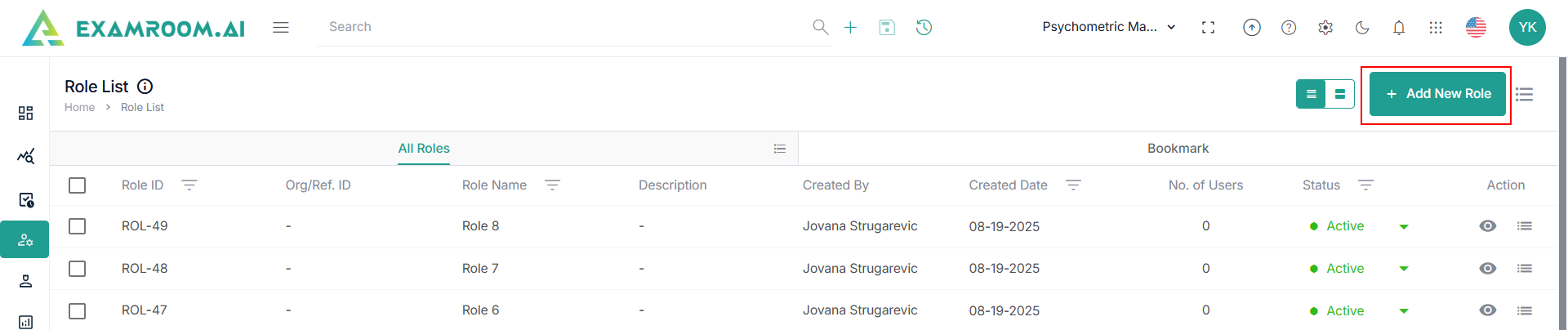
- On the Role List page, click + Add New Role.
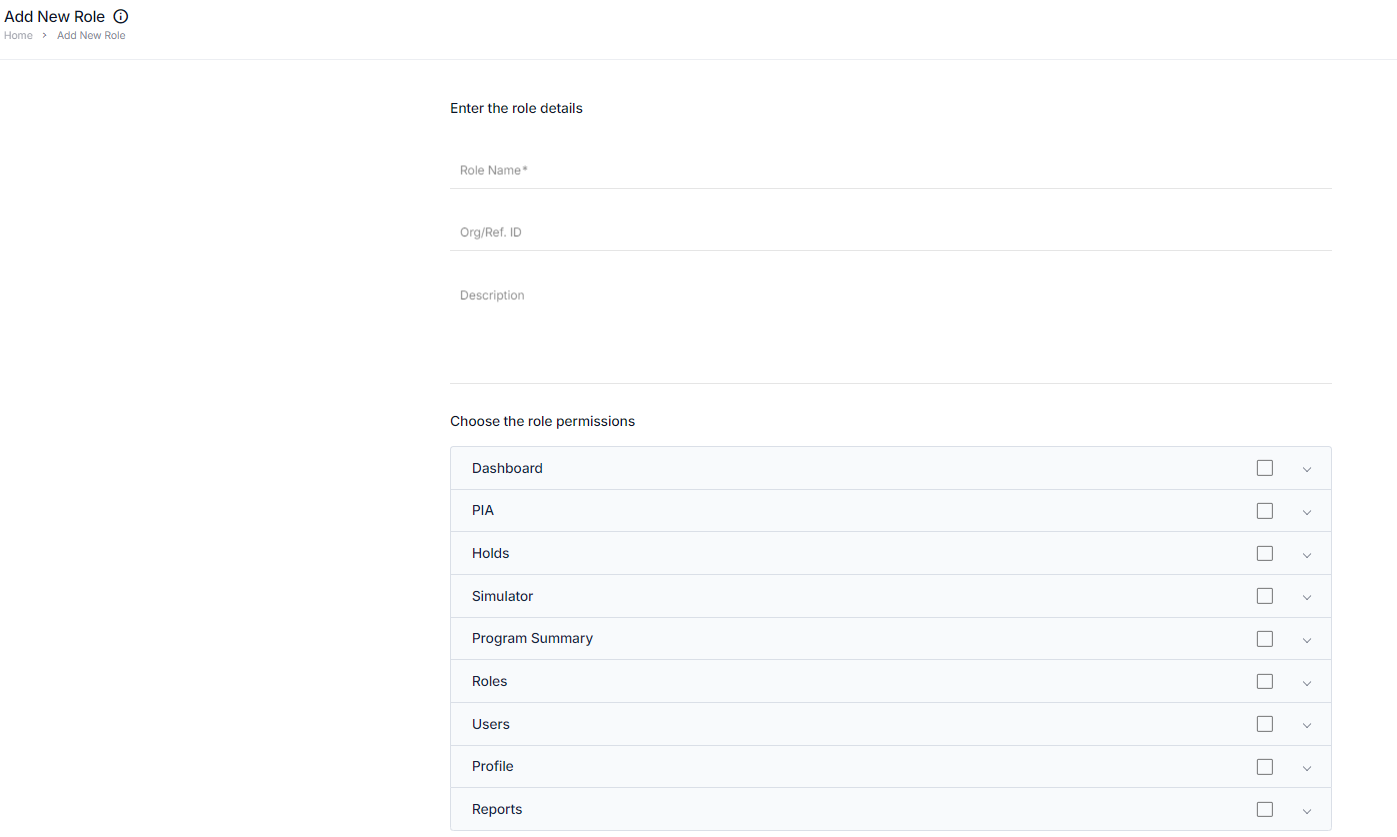
- Add the Role Name, Org/Reg.ID, and Description in the role details sections.
- In Choose the Role Permission section, choose user access by selecting the applicable check boxes.
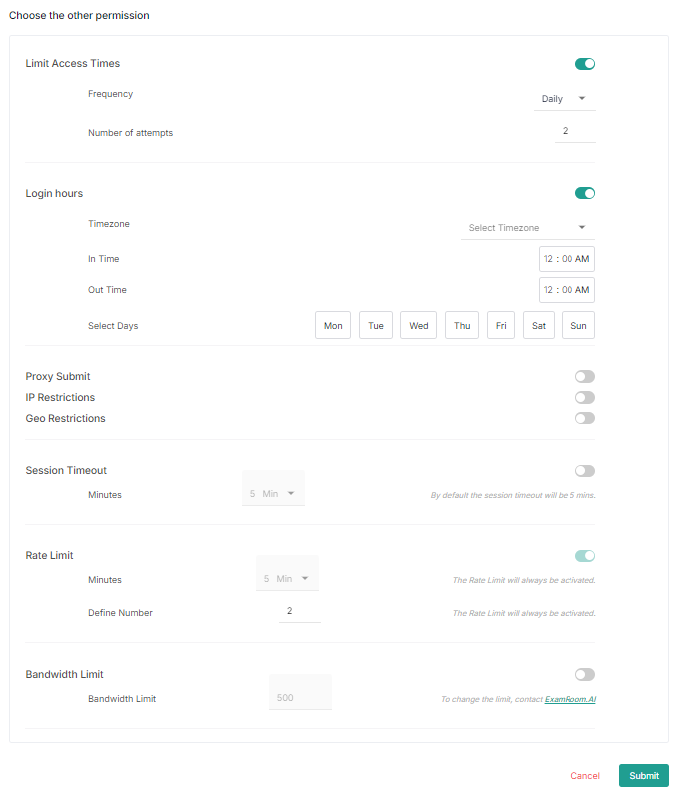
- In Choose the Other Permission section, select any additional permissions.
- Click Submit to save the details. Click Cancel to exit without saving.